 how-to
How to Avoid Mobile Money Fraud and Keep Your Wallet Safe
Last Updated: November 5, 2026
Quick Summary
To avoid mobile money fraud in Sierra Leone, treat every unexpected message as hostile and verify any payment request through a second, separate channel before sending money. Never share your PIN or one-time password with anyone, and check your own balance in the app rather than trusting a screenshot or text.
- Legitimate providers never ask for your PIN or OTP by call, text, or message.
- If a message has two or more warning signs, delete it rather than forwarding it.
- Before handing over goods, wait for money to reflect in your own app balance.
- After a scam, lock the wallet and change your PIN before explaining anything.
- Report to your provider first, then the police, and keep every case reference.
Table of Contents
- Mobile Money Fraud Prevention Tips That Work in Practice
- How to Spot Mobile Money Scam Messages and Suspicious Links
- How to Protect Mobile Money PIN and One-Time Passwords
- Verify Every Transaction Before You Send Money or Hand Over Goods
- What to Do After Money Is Sent or Your Account Is Compromised
- Step 1: Secure the account before you explain anything
- Step 2: Save evidence in a single folder
- Step 3: Report to the provider and ask for the right action
- Step 4: Report to the police and keep the reference
- Step 5: Tell your contacts and watch for the second wave
- Step 6: Follow up on a schedule
- Be realistic about recovery
- Scenario shortcuts
- How to Report Mobile Money Fraud Through Official Channels
- Protect Your Wallet and Your Family by Setting Up Safer Payments
- Frequently Asked Questions
Mobile Money Fraud Prevention Tips That Work in Practice
Mobile money fraud is the use of fake messages, stolen PINs, or impersonation to take money from a mobile wallet.
The core idea is blunt: trust the app, not the message. Most losses start with a text, call, or link that looks official. Below: spotting traps, protecting your PIN, verifying payments, and reporting scams.
Treat Every Unexpected Message as Hostile Until Proven Otherwise
A message you did not ask for should be treated with caution until verified, including "promotions," "account alerts," and "wrong number" texts. Legitimate providers should not rush you.
Watch for these signs:
- A message that creates panic, such as "your wallet will be blocked today"
- A link that asks you to "confirm" your PIN or account number
- A sender using a normal phone number instead of an official short code
Replying to "check" if a message is real can confirm your number is active and invite more scam attempts.
Verify Before You Act: The Two-Channel Rule
The two-channel rule means confirming any payment request through a second, separate channel before you send money. If a message arrives by SMS, call the sender on a number you already have saved, never the number in the message.
Here is how to apply it:
- Stop. Do not tap any link.
- Open your wallet app yourself and check your balance and transaction history.
- Call the person or the provider using a saved contact or official line.
- Only then decide whether to send money.
How to Spot Mobile Money Scam Messages and Suspicious Links
Scam messages follow patterns. A fraudulent message usually wants one of three things: your PIN, your one-time password, or a payment.
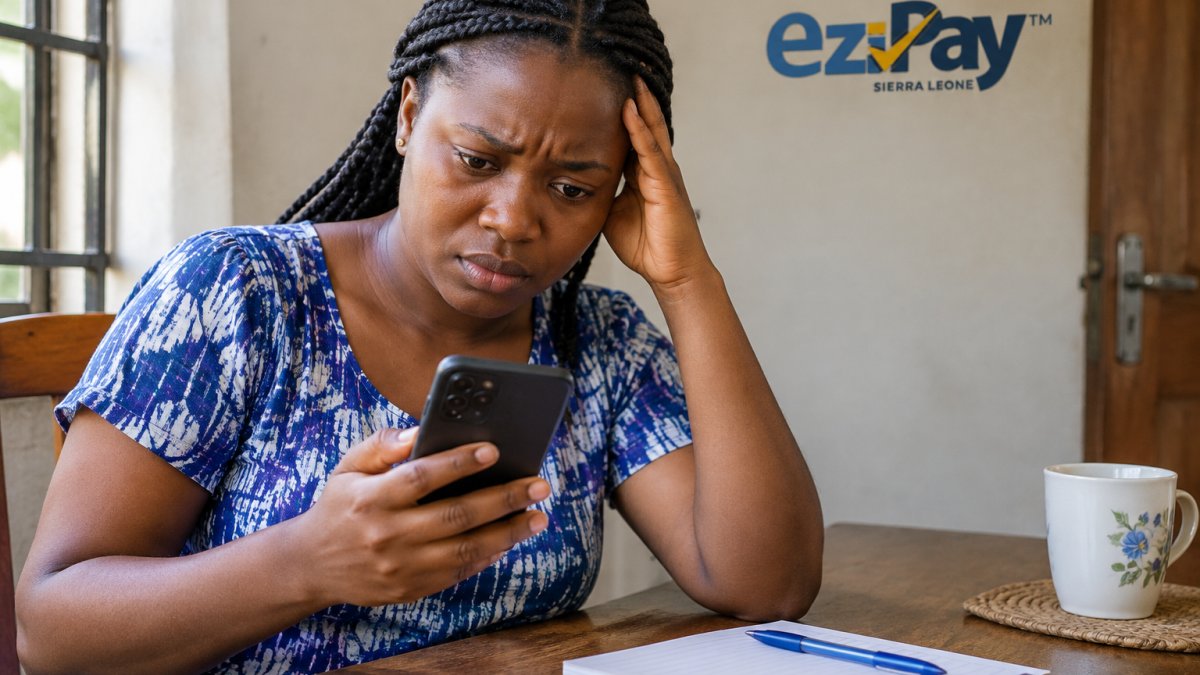
Check these warning signs:
- Suspicious links: Shortened or misspelled web addresses. Type the official site yourself instead of tapping.
- Fake payment notification: A text claims you received money, then asks you to "send it back" or pay a fee to release it. Check your real balance first.
- Impersonation: Someone poses as a provider agent, a relative, or a government office.
If a message has two or more of these signs, delete it. Do not forward it to friends as a "warning", that spreads the link.
How to Protect Mobile Money PIN and One-Time Passwords
Your mobile-money PIN and one-time password are the keys to your wallet. Anyone who has them can move your money.
Follow these rules:
- Never share your PIN or OTP with anyone, including "agents" or "support staff."
- Memorize your PIN. Do not write it on the phone or a card.
- Change your PIN if you suspect someone saw it.
A common trick is a caller who says they will "reverse a wrong transfer" and needs your OTP. There is no such process.
If you are setting up a wallet for the first time, learn the proper steps so you start on a safe footing: how to register for a digital wallet.
Verify Every Transaction Before You Send Money or Hand Over Goods
Verify every transaction before money leaves your hands, whether you are sending to a person or accepting payment for goods.
Before you send:
- Confirm the recipient's name and number by voice call.
- Check the amount and the fee on screen before you approve.
- Keep the transaction confirmation message.
Before you hand over goods:
- Check your own balance in the app. Do not rely on a screenshot the buyer shows you.
- Wait for the money to reflect in your account, not just a "pending" claim.
- Be wary of overpayment tricks, where a buyer "accidentally" sends too much and asks for change.
For larger transfers or sending money to a specific city, use methods you can trace. Our guide on secure ways to send money covers options that leave a clear record.
What to Do After Money Is Sent or Your Account Is Compromised
Speed and order matter once money has moved or your account is compromised. The first hour decides how much can be traced, frozen, or documented, so work through the steps in sequence.
Step 1: Secure the account before you explain anything
- Lock the wallet. Call your provider's customer support line and ask them to freeze the wallet and block outgoing transfers. Use the number in the app or on the official website, not a number from the suspicious message.
- Change your PIN and password from a phone you trust, ideally one that has not been used to open any links from the scam message.
- Log out of other devices if your provider offers a session or device-management option, and remove any device you do not recognize.
- Check for linked accounts. If a bank card or bank account is linked to the wallet, ask the bank to block or monitor the link.
Watch out: do not delete the scam message or the transaction notification while you are securing the account. You will need the sender's number, the time, and the reference for every later step.
Step 2: Save evidence in a single folder
Screenshot the scam message, the sender's number, the transaction confirmation, your balance before and after, and any call log entries. Write down the time of each event and the amount in SLE. If the scam involved a link, copy the full web address, not just the shortened form. Keep the original messages as well as the screenshots.
Step 3: Report to the provider and ask for the right action
When you call, state the problem in one line: unauthorized transfer, account takeover, or a scam payment you approved. Give the transaction reference, the amount in SLE, the recipient number, and the time.
A common pattern is that the first call is treated as a general complaint. If you are not given a case number, call back and ask for the fraud or disputes team by name.
Step 4: Report to the police and keep the reference
Report the incident at the nearest police station and ask for the report reference. Bring your screenshots, the transaction reference, and your written timeline. The report reference turns your complaint into a record that the provider and, if needed, a court or regulator can follow up on.
Step 5: Tell your contacts and watch for the second wave
If your account or phone was compromised, tell family, colleagues, and regular business contacts that messages from your number may not be from you. Scammers often reuse a stolen contact list to send fake payment requests in your name. Also watch for a follow-up call from someone claiming to be from the provider or the police who asks for your PIN or OTP to "process the refund." No genuine reversal requires your OTP.
Step 6: Follow up on a schedule
Follow up with the provider after a few working days and again after a week, quoting your case number each time. Ask what stage the trace has reached and whether the recipient wallet has been restricted. Keep a written log of each call: date, time, person or department, and what you were told.
Be realistic about recovery
Once money has been withdrawn in cash or moved through several wallets, recovery is uncertain and often slow. Do not pay anyone who promises to recover your funds for a fee, and do not sign over a share of the money to a "recovery agent." Prevention and quick reporting improve your position; a guarantee of refund is a warning sign.
Scenario shortcuts
- You approved a payment to a scammer: secure the account, save evidence, report to the provider immediately, and ask for a trace on the recipient wallet. Do not send a second "recovery fee."
- Someone has your PIN or OTP: change the PIN and password first, then report the account takeover and review recent transactions for anything you did not authorize.
- You received a fake payment confirmation: check your own balance in the app before doing anything. If no money arrived, do not send goods or a refund, and report the sender's number to the provider.
Once money has moved, work through these steps in order, because the first hour decides how much can be traced or frozen.
| Step | What to do |
|---|---|
| 1 | Lock the wallet, change PIN and password, log out other devices |
| 2 | Save evidence: screenshots, sender number, references, timeline |
| 3 | Report to provider and ask for a case number |
| 4 | Report to police and keep the report reference |
| 5 | Tell contacts and watch for follow-up scam calls |
| 6 | Follow up after a few working days and again after a week |
How to Report Mobile Money Fraud Through Official Channels
Report suspected fraud through official channels, never through numbers or links in the scam message. A report with a clear timeline and evidence moves faster than a vague complaint, and it helps your provider trace the recipient account and warn other users.
The escalation order that works
- Your provider first. The provider controls the wallet, the transaction log, and the ability to restrict a recipient account. Report here before anything else so the money can be traced while the trail is fresh.
- The police second. A police report reference turns your complaint into an official record and is often requested by the provider, a bank, or a regulator when a case is escalated.
- Your bank third, if a linked card or account was involved. The bank can block the link and monitor the account.
- The regulator last, if the provider does not respond. Use this step when you have a case number and a documented follow-up history, not as a first move.
What to have ready before you report
- The sender's phone number and any short code used
- The transaction reference and the amount in SLE
- The date and time of each message, call, and transfer
How to report to your provider
Use the customer support line printed in the app or on the official website, the in-app report or dispute option where available, or the provider's USSD menu.
Watch out: a scammer may call you pretending to be from the provider's fraud team and ask for your PIN or OTP to "verify the report." A genuine fraud team will not ask for your OTP.
How to report to the police
Go to the nearest police station and ask to file a report for a financial or cybercrime case. Bring printed or on-screen copies of your evidence and your timeline. Ask for the report reference in writing, and keep it with your provider case number. If the station is unsure how to classify a mobile-money case, ask for it to be recorded as a financial scam and keep the reference regardless.
How to report to your bank
If a bank card or account is linked to the wallet, call the bank's official line and ask them to block the link and flag the account. Give them the same transaction reference and timeline. Ask whether the bank needs a copy of the police report reference.
How to escalate to the regulator
If the provider has not resolved the case after documented follow-up, ask for its formal complaints procedure and the regulator it reports to, then submit your complaint with the case number, the police reference, and your call log. Keep copies of everything you send. Escalation works best when it shows a clear paper trail.
What not to do when reporting
- Do not send money to anyone who offers to recover your funds.
- Do not share your PIN or OTP with any caller, including someone claiming to be from the provider or the police.
- Do not forward the scam link to friends as a warning; it spreads the link.
Keep a simple fraud log
A notebook or a note on your phone with four columns, date and time, what happened, who you spoke to, and the reference number, is enough. This log makes follow-up calls productive and is what a regulator will ask for if the case is escalated.
Protect Your Wallet and Your Family by Setting Up Safer Payments
Safer payments start with setup. A few settings now save you grief later, especially for families and shared phones.
- Turn on app notifications so you see every transaction.
- Set a transaction limit for everyday use.
- Use one phone per wallet where possible. Shared phones raise risk.
Choosing a trusted app is part of prevention. Compare options in our guide to the best mobile money apps for business, or check the best mobile money app for the year ahead.
Ezipay SL is a licensed digital financial service provider. Its app offers advanced fraud protection and continuous monitoring, multi-payment options, 24/7 in-app support, and instant access to funds without queues.
Frequently Asked Questions
How can I protect my mobile money account from fraud?
Keep your PIN and one-time passwords private and never share them with anyone, even someone claiming to be from customer support. Treat unexpected messages and calls as suspicious until you verify them through a separate channel. Check your transaction history regularly, use a strong password on your phone, and install app updates when they become available. If a message asks you to click a link or send money urgently, stop and verify before acting.
What should I do if someone asks for my mobile money PIN or OTP?
Never give your PIN or OTP to anyone. Legitimate customer support will not ask for your PIN or a verification code. If someone requests it, end the call or ignore the message and contact your provider through the official number in the app or on your statement. Sharing a PIN or OTP can give a fraudster full access to your wallet, so treat it like the key to your money.
How can I tell if a mobile money message or link is a scam?
Scam messages often create urgency, claim you have won a prize, or say your account will be blocked unless you act. They may include a link that looks similar to your provider's real website but has small differences. Check the sender ID carefully, and never click links in unexpected messages. Instead, open your provider's official app or dial the official USSD code to check your balance and transaction history directly.
What should I do if I send money to the wrong number?
Act quickly. Contact your mobile money provider's customer support immediately and explain what happened. They may be able to help recover the funds if the recipient has not withdrawn them, but recovery is not guaranteed. Save screenshots of the transaction and any messages. You can also report the incident to the police if the recipient refuses to return the money. Always double-check the number before confirming a transfer.
Fraudsters get better every year, but the basics still stop them: guard your PIN, verify before you act, and report fast. Ezipay SL gives you a secure all-in-one wallet with continuous monitoring, 24/7 support, and seamless links to your mobile wallet and bank account. Get started with Ezipay SL and keep your money where it belongs: safe and in your control.