 listicle
7 Best Mobile Money Apps for Sierra Leonean Business
Last Updated: November 1, 2026
Quick Summary
The best mobile money apps for Sierra Leonean business are judged on fast settlement, predictable fees, and merchant acceptance. Ezipay SL is the all-in-one option, combining mobile money, bank cards, and QR codes with bill payments and inbound cross-border transfers in one wallet.
- International transfer services like BOSS Money, Wise, and TapTap Send are inbound channels, not counter tools.
- Local wallets such as Orange Money and Transfa Pay are strong on peer-to-peer transfers but thin on reconciliation views.
- Ask each provider two questions in writing: what a transfer costs and when you can withdraw.
- Run one week of real transactions on a shortlisted app before moving your main takings.
- Never share your PIN, verify the recipient before confirming, and keep your app updated.
Table of Contents
- What Sierra Leonean Businesses Need From a Mobile Money App
- Quick Comparison: Best Mobile Money Apps for Business
- 1. Ezipay SL: All-in-One Business Mobile Wallet
- 2. Orange Money: Local Mobile Money for Peer-to-Peer Transfers
- 3. Transfa Pay: Fast, Low-Fee Transfers
- 4. BOSS Money: International Transfers with No-Fee First Transactions
- 5. Wise: Transparent International Transfers and Currency Exchange
- 6. TapTap Send: Low-Cost International Transfers
- What Matters Most When You Choose
- The Bottom Line for Your Business
- Frequently Asked Questions
What Sierra Leonean Businesses Need From a Mobile Money App
The best mobile money apps for Sierra Leonean business are judged on one thing: whether they move money into your hands quickly, safely, and at a predictable cost.
Below, we show what separates a wallet that works for a business from one that only works for sending airtime to a cousin.
Most guides compare apps on download numbers and app store ratings.
Merchant Acceptance and Payment Workflows
A customer walks in, buys goods, and holds up a phone. What happens next decides whether the sale closes in seconds or stalls.
A common mistake is choosing a wallet that only supports peer-to-peer transfers. Those work for sending money to family, but leave you without a merchant-facing record of what came in and when. Look for payment acceptance that supports QR codes, mobile money, and bank cards from one place.
Fees, Limits, and Settlement Time
Transaction fees and transaction limits matter more than most business owners expect. A fee that looks small on a single transfer adds up across a hundred sales a week.
Settlement time can disrupt stock purchases and wage payments when money takes days to become usable cash. Ask any provider two direct questions: what does a transfer cost, and when can I withdraw?
Quick Comparison: Best Mobile Money Apps for Business
Most roundups stop at a logo and a one-line description. For a business, the useful comparison is narrower: can the app take a customer payment at the counter, pay a supplier, receive money from abroad, and how quickly does the money become usable cash? The table below scores each option on those four questions and flags where public information is thin.
| App | Best For | Merchant Acceptance | Business Tools | International Transfers | Fee and Limit Transparency | Settlement and Cash-Out |
|---|---|---|---|---|---|---|
| Ezipay SL | All-in-one business wallet | Mobile money, bank cards, QR codes | Bill payments, airtime, data, wallet-to-bank linking | Yes, receive from abroad in local currency | Published per service in-app; confirm current schedule before onboarding | Same-wallet use; withdrawal timing depends on linked bank or wallet |
| Orange Money | Local peer-to-peer transfers | Limited merchant detail | Transfers only; no reconciliation view | No | Varies by service; confirm at agent | Agent cash-out; timing varies by agent liquidity |
| Transfa Pay | Fast, low-fee transfers | Not a merchant acceptance platform | Limited | Yes | Described as low; limits not publicly documented | Confirm withdrawal rules before relying on it |
| BOSS Money | First transfers free | None | None | Yes, inbound | No fee on first three transactions; later fees vary | Inbound only; no local merchant layer |
| Wise | Currency exchange and cross-border | None | None | Yes | Transparent rates and fees shown before sending | Payout method depends on corridor; confirm wallet payout |
| TapTap Send | Low-cost inbound remittances | None | None | Yes, inbound | Fees and payout methods not specified in public sources | Test with a small amount first |
Three patterns stand out. First, the international transfer services (BOSS Money, Wise, TapTap Send) are inbound channels, not counter tools, they solve the diaspora-support problem but leave you unable to accept a walk-in customer's payment. Second, the local wallets (Orange Money, Transfa Pay) are strong on peer-to-peer movement but thin on the reconciliation view a shop needs at closing time. Third, only a business wallet that combines merchant acceptance, bill payments, and inbound transfers avoids running three apps and reconciling them by hand.
For a broader benchmark of what else is on the market, our roundup of the best mobile money app for 2026 compares the wider field.
1. Ezipay SL: All-in-One Business Mobile Wallet
Ezipay SL combines payments, bills, and airtime in one app.
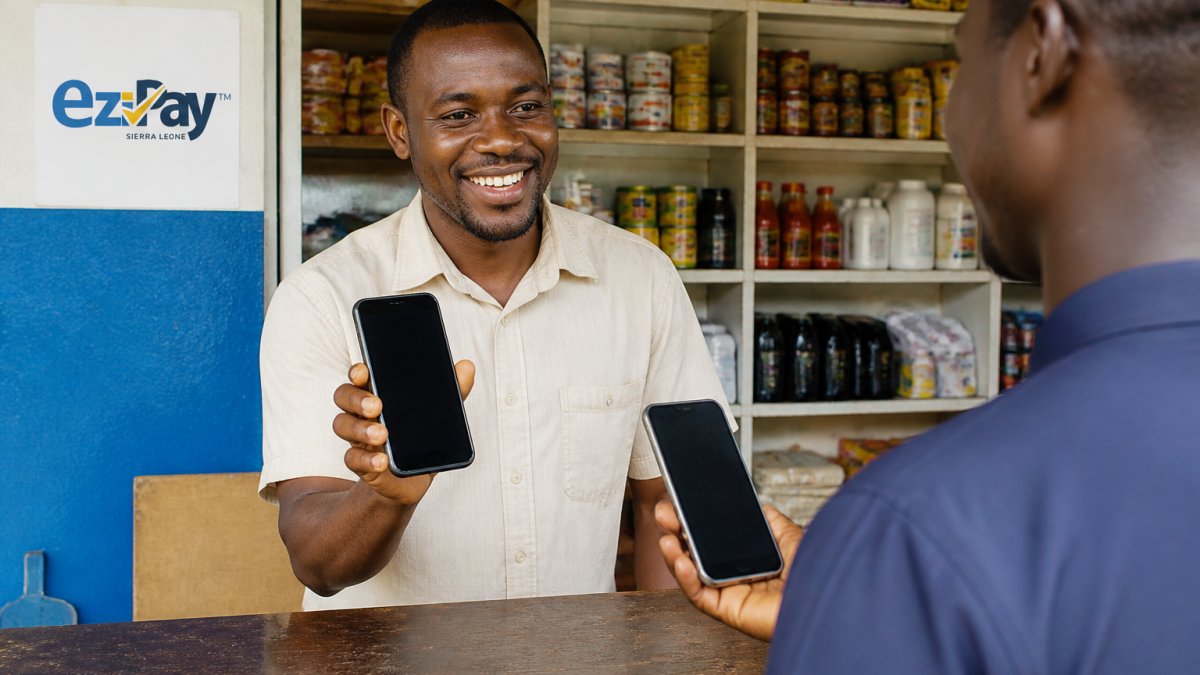
The wallet balance links to mobile wallets and bank accounts. Cross-border payments let you receive money from abroad in local currency.
Watch out: switching platforms mid-week can leave you without access to funds during the transition.
2. Orange Money: Local Mobile Money for Peer-to-Peer Transfers
Orange Money is one of the established mobile money services in the market.
Where it fits: peer-to-peer transfers and everyday local transfers.
Merchant features for this service are not well documented publicly, so verify them directly before relying on them.
Best for: businesses whose customers and staff already use it daily. Skip if: you need merchant reporting and QR acceptance.
3. Transfa Pay: Fast, Low-Fee Transfers
Transfa Pay is a money transfer option.
Public information on its transfer fees, transaction limits, and business features is limited. Confirm settlement time and withdrawal rules before relying on it.
For a deeper look at moving money quickly, our guide on fast money transfers to Sierra Leone mobile covers the mechanics.
Best for: frequent small transfers where speed matters. Skip if: you need documented merchant tools.
4. BOSS Money: International Transfers with No-Fee First Transactions
If your revenue includes remittances from relatives abroad, BOSS Money is worth knowing.
The catch for business use: it is built for sending money into the country, not for accepting payments at a counter.
Best for: diaspora senders supporting a business back home. Skip if: you need local merchant payments.
Our guide on secure ways to send money to Freetown covers the practical side of inbound transfers.
5. Wise: Transparent International Transfers and Currency Exchange
Wise offers currency exchange for international transfers.
Where it does not fit: Wise is an international transfer service, not a local digital wallet. Public sources do not confirm local mobile-wallet functionality or Sierra Leone-specific fees, so check before assuming a payout lands in your wallet. For businesses paying overseas suppliers, it is a reasonable option to compare.
Best for: businesses sending or receiving money across borders. Skip if: you need a local wallet for daily takings.
6. TapTap Send: Low-Cost International Transfers
TapTap Send is a provider of fund transfers into the country.
Public sources do not specify its fees, payout methods, or business payment features, so test with a small amount first.
Best for: comparing low-cost inbound remittances. Skip if: you need merchant tools or reconciliation.
What Matters Most When You Choose
Choosing a mobile money app comes down to matching the tool to how your money actually moves. The checklist below is organized by the decisions that change your costs and your closing-time workload, not by app-store ratings.
Match the App to Your Business Size and Sector
A sole trader selling airtime from a kiosk has different needs from a retailer with two staff and a supplier in another district. Use these profiles as a starting point:
- Sole traders and market traders: prioritize fast counter acceptance (QR code or mobile money), low per-transaction cost, and easy cash-out at an agent. Reconciliation can be a daily phone screenshot if volumes are low.
- Retailers with fixed premises: prioritize a printed QR code at the counter, a transaction record you can review at closing, and the ability to link a bank account for larger withdrawals.
- Service businesses paid by remote clients: prioritize inbound transfer options and clear references on each payment so you can match a payment to an invoice.
Check Fees, Limits, and Settlement Before You Switch
Transaction fees and transaction limits matter more than most business owners expect. A fee that looks small on a single transfer adds up across a hundred sales a week.
A practical test: run one week of real transactions on the shortlisted app before moving your main takings. Record the fee on each transaction, the time from sale to usable cash, and any failed payment.
Confirm Onboarding, Eligibility, and Support
Ask providers what documents are needed for a business account versus a personal one, and whether staff can have separate access without sharing the owner's PIN. Confirm which support channels are available and their hours, since a payment failure at closing time is when support matters most.
Build a Reconciliation Routine
Merchant tools and reconciliation matter for businesses. At minimum, you want transaction records with a reference, an exportable or screenshot-able statement, and a way to separate business takings from personal transfers. A common pattern is a daily closing routine: check the wallet balance against cash on hand, note pending transfers, and record the day's total in a simple ledger. If the app cannot give you a reference per transaction, you will be matching payments by amount and time, which breaks down as soon as two customers pay the same amount.
Security Basics That Apply to Every App
On mobile money security best practices, the basics hold: never share your PIN, verify the recipient before confirming, and keep your app updated. The GSMA mobile money programme publishes industry guidance on safeguarding accounts and understanding provider obligations.
For businesses weighing how to manage day-to-day balances, our article on how small businesses manage cash flow digitally walks through the practical routines.
The Bottom Line for Your Business
The best mobile money apps for Sierra Leonean business fit your actual workflow, not the loudest marketing. Start with what you do most: accept payments, pay bills, buy airtime, or receive money from abroad.
If you want one wallet that covers merchant acceptance, bill payments, airtime, and inbound cross-border transfers, that is exactly what we built Ezipay SL to do.
Get started with Ezipay SL and run your business payments from one secure wallet.
Frequently Asked Questions
Which mobile money app is best for a small business?
The best app depends on your workflow. For a small shop that needs to accept payments, pay bills, and buy airtime in one place, an all-in-one business mobile wallet like Ezipay SL is a strong fit because it combines transfers, bill payments, and merchant acceptance. If your main need is receiving international remittances, compare providers like BOSS Money or TapTap Send for fees and payout speed. Always check transaction fees, settlement time, and whether the app supports the payment methods your customers use.
How can a business accept mobile money payments?
To accept mobile money payments, register for a merchant or business account with a licensed provider, complete any required verification, and display your payment details or QR code at the point of sale. Confirm the customer's name and amount before approving the transaction, and reconcile payments daily against your sales records. Choose a provider that offers merchant tools and clear settlement times so you know when funds reach your wallet or bank account.
Can a business mobile wallet pay utility bills and buy airtime?
Yes. Many business mobile wallets support bill payments and airtime top-ups directly from the app. Ezipay SL, for example, lets users pay utility bills and purchase airtime alongside money transfers and merchant payments. This saves trips to payment centres and keeps a record of business expenses in one place. Check that your chosen app covers the specific billers and networks you use before committing.
How can a business keep mobile money transactions secure?
Use a strong PIN and enable any available biometric login, never share your PIN or one-time codes, and verify recipient details before confirming a transfer. Keep your app updated, avoid conducting transactions on public Wi-Fi, and reconcile your wallet balance and transaction history regularly. Choose a licensed provider with fraud monitoring and 24/7 support so you can report suspicious activity quickly. Mobile money security best practices also include training staff who handle payments on your behalf.
Can mobile money apps send money between countries?
Some mobile money apps support international transfers, while others focus on local payments. For cross-border needs, providers such as BOSS Money, Wise, and TapTap Send offer international transfer services, and some wallets let recipients receive funds in local currency. Compare transfer fees, exchange rates, and payout methods before choosing. For local business payments, a domestic business mobile wallet is usually faster and cheaper.